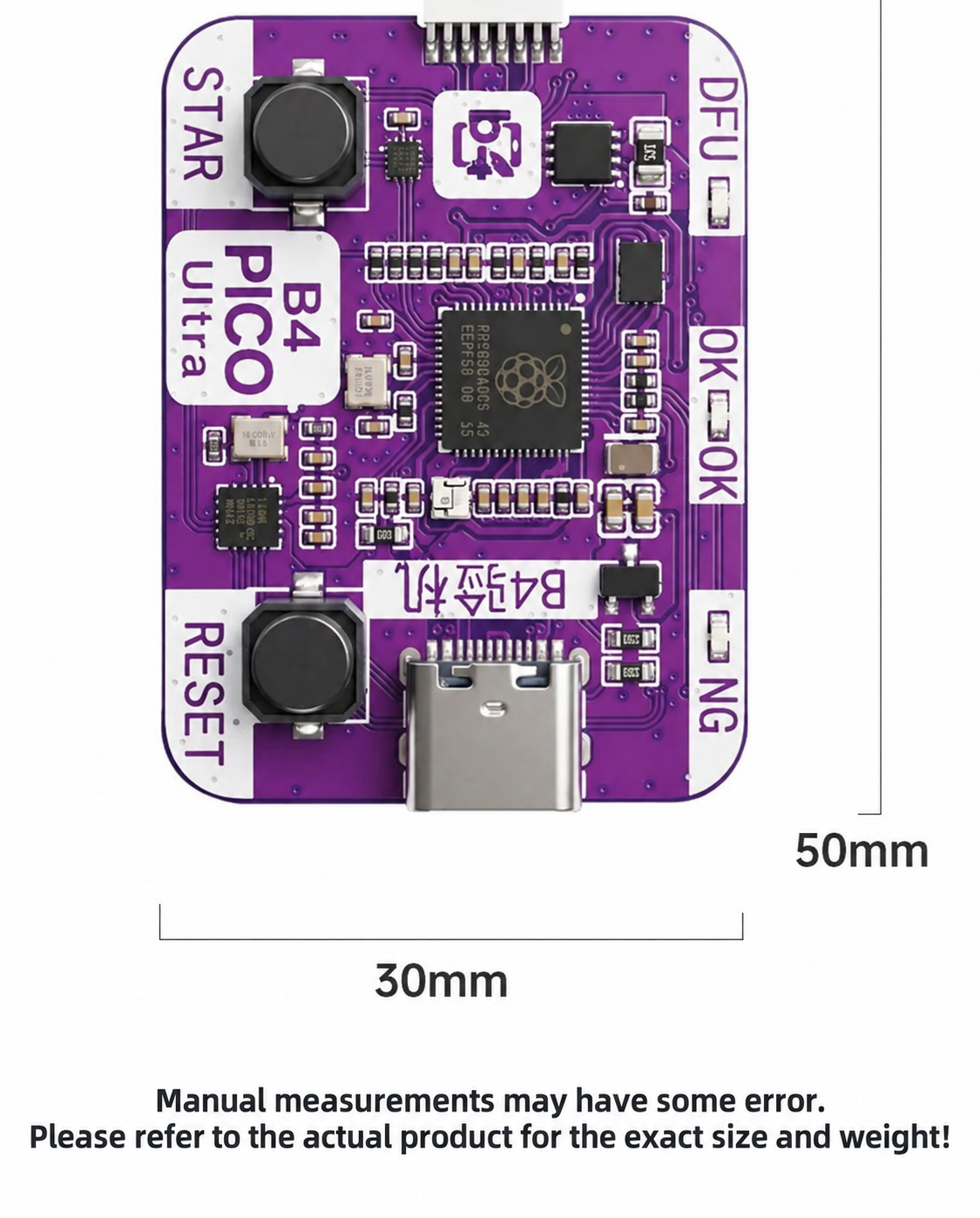
B4 PICO Ultra Mobile Repair Tool, No Cable Swap for Flashing, Dual Mode Auto DFU, One-Click PWND Entry
B4 PICO Ultra Mobile Repair Tool, No Cable Swap for Flashing, Dual Mode Auto DFU, One-Click PWND Entry
HMT B4 PICO Ultra Mobile Repair Tool – No-Cable-Swap Flashing & Auto DFU / PWND Box
The HMT B4 PICO Ultra Mobile Repair Tool is an advanced hardware flashing and diagnostic dongle engineered for professional smartphone technicians, motherboard repair specialists, and mobile refurbishing facilities. Equipped with dual Lightning and USB Type-C interfaces, the B4 PICO eliminates tedious manual button combinations and cable-swapping traditionally required to enter Recovery, DFU, and PWND diagnostic modes. Whether you are recovering boot-looping devices, flashing firmware via 3uTools or iTunes, or conducting deep board-level software diagnostics, the B4 PICO delivers fast, stable, one-click operation across both Lightning and Type-C Apple devices directly on your workbench.
Key Features
- Dual Interface (Lightning & USB Type-C): Features built-in Apple Lightning and USB Type-C ports, providing comprehensive plug-and-play connectivity for both classic Lightning devices and modern Type-C iPhones and iPads.
- Seamless No-Cable-Swap Flashing: Eliminates the need to repeatedly unplug, replug, or swap data cables during complex flashing sequences, firmware upgrades, and recovery cycles, drastically reducing connector wear and connection dropouts.
- Dual-Mode Auto DFU Triggering: Features automated dual-mode switching to force devices directly into DFU or Recovery mode without relying on broken, stuck, or unresponsive physical buttons (Power, Volume, or Home keys).
- One-Click PWND Entry: Instant one-touch entry into PWND / diagnostic mode for supported mobile systems, facilitating fast firmware execution, system restore, and deep diagnostic routines.
- Comprehensive Device Compatibility: Fully compatible with iPhone, iPad, and portable iOS devices across all generations, supporting both Lightning and Type-C ecosystem workflows.
- Universal Flashing Software Compatibility: Fully compatible with industry-standard repair suites and flashing utilities including 3uTools, iTunes, Apple Configurator, and third-party diagnostic software.
- Ultra-Compact PICO Form Factor: Engineered into an ultra-portable, durable casing with plug-and-play USB connectivity, occupying minimal bench space while withstanding rigorous daily repair workloads.
- Integrated Circuit Protection: Built-in overcurrent, overvoltage, and anti-static ESD protection safeguards both the host PC and the connected device motherboard against electrical surges during flashing.
Product Specifications
- Model: B4 PICO Ultra
- Product Type: Mobile Phone Flashing & DFU Diagnostic Tool
- Interface Ports: Dual Interface – Apple Lightning & USB Type-C (USB-C)
-
Supported Devices: iPhone XR, XS, XS Max, 11, 11 Pro, 11 Pro Max, SE2
iPad mini 5 / Air 3 / iPad 8 - Device Compatibility: Lightning and Type-C iPhone & iPad models
- SKU: 101150-02
How It Works & Operating Guide
- Step 1 (Connection): Connect the B4 PICO to your PC's USB port and attach the target mobile device via the appropriate Lightning or USB Type-C port.
- Step 2 (Mode Selection): Launch your preferred flashing software (e.g., 3uTools or iTunes). Use the mode switch on the B4 PICO to trigger automatic DFU or Recovery mode—no manual button pressing required.
- Step 3 (PWND / Diagnostic Execution): For deep diagnostic, unlocking, or recovery operations, trigger the one-click PWND function to put the device into target mode instantly.
- Step 4 (Firmware Restore / Flashing): Execute firmware flashing, data recovery, or unbricking operations with rock-solid data line stability.
Package Includes
- 1 × HMT B4 PICO Ultra Mobile Repair Tool (Lightning & Type-C)
Target Applications
Essential for mobile phone repair shops, motherboard unbricking technicians, refurbishing facilities, and data recovery specialists dealing with boot loops, broken buttons, corrupted firmware, and diagnostic bypass workflows.
Product features
Product features
Materials and care
Materials and care
Merchandising tips
Merchandising tips
Share